
Skip to content
Monge IT Consulting, Inc.
  • About
  • Plans
  • Quote
  • Tips
  • News
  • Testimonials
  • Contact
Monge IT Consulting, Inc.
  • How to Display the Battery Percentage in Your Mac’s Menu Bar

    How to Display the Battery Percentage in Your Mac’s Menu Bar

    By default, the battery icon in your Mac laptop’s menu bar shows how full your battery is. Clicking it reveals the exact percentage, but you can also set macOS to display the battery percentage next to the icon. The setting isn’t where you might expect in System Settings > Battery. Instead, you’ll find it in…

    Read More How to Display the Battery Percentage in Your Mac’s Menu BarContinue

  • Where Can You Control Automatic Smart Quotes and Dashes in macOS?

    Where Can You Control Automatic Smart Quotes and Dashes in macOS?

    Most people like smart quotes and dashes, at least most of the time. Your Mac is probably set up to turn the single (‘) and double (“) hash marks and double hyphens (–) that you type into the apostrophes (’) and single smart quotes (‘’), double smart quotes (“”), and em dashes (—) used in…

    Read More Where Can You Control Automatic Smart Quotes and Dashes in macOS?Continue

  • Select Non-Contiguous Text in Pages, Keynote, and Numbers 14

    Select Non-Contiguous Text in Pages, Keynote, and Numbers 14

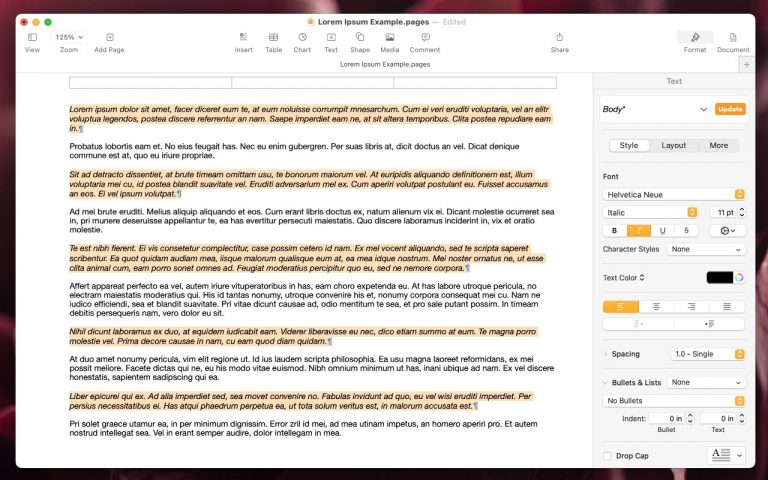
    The latest versions of the Mac and iPad apps in Apple’s iWork suite—Pages 14, Keynote 14, and Numbers 14—have gained a helpful feature: non-contiguous text selection. By holding down the Command key, you can select chunks of text that aren’t next to each other. For example, imagine you want to make the first part of…

    Read More Select Non-Contiguous Text in Pages, Keynote, and Numbers 14Continue

  • Take Advantage of the Reference Library in Your Mac

    Take Advantage of the Reference Library in Your Mac

    You may be used to Mac apps using red underlines to mark misspelled words, but did you know that macOS has also long included a fully featured Dictionary app? It provides quick access to definitions and synonyms in the New Oxford American Dictionary and the Oxford American Writer’s Thesaurus, along with definitions of Apple-specific words…

    Read More Take Advantage of the Reference Library in Your MacContinue

  • SPF DKIM DMARC Monge IT

    SPF, DKIM, and DMARC: What They Are and Why You Need Them

    Email is a breeding ground for phishing attacks. The sheer volume and ease of sending make it the most attractive channel for scammers. While a mismatched sender address is a common warning sign, the most effective attacks succeed by spoofing legitimate addresses, making them almost impossible for a user to distinguish from a real email….

    Read More SPF, DKIM, and DMARC: What They Are and Why You Need ThemContinue

  • Six Reasons Why You Should Restart Your Mac Periodically

    Six Reasons Why You Should Restart Your Mac Periodically

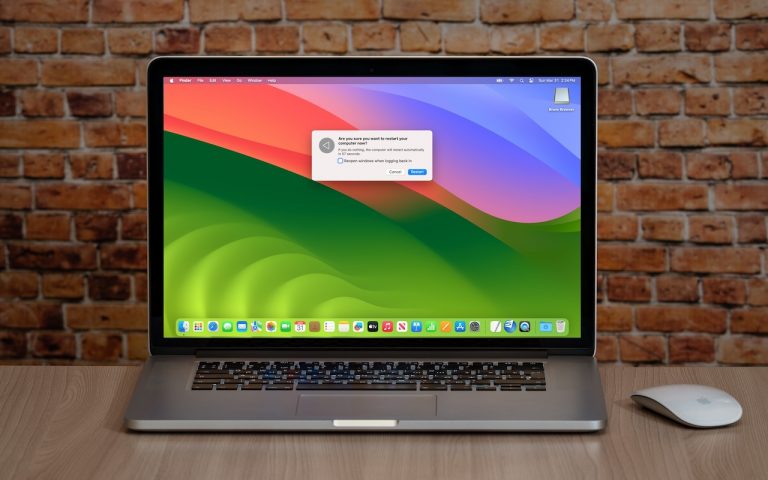
    Long ago, before macOS was as stable as it is today, Mac users restarted their Macs regularly. Back then, Macs couldn’t sleep, either, so it was common for users to shut down at the end of the day and start up the next morning, effectively restarting daily. With modern Macs using the barest trickle of…

    Read More Six Reasons Why You Should Restart Your Mac PeriodicallyContinue

  • How to Sync Your Text Messages across All Your Apple Devices

    How to Sync Your Text Messages across All Your Apple Devices

    Although many of us think of Messages as an iPhone app, Apple’s platform integration lets you read and reply to conversations in Messages on other Apple devices, including the Mac and iPad. All your devices must have the correct settings to make this work reliably. We regularly hear from users who don’t see all their…

    Read More How to Sync Your Text Messages across All Your Apple DevicesContinue

  • Want an Event List in Apple’s Calendar App? Try This Trick

    Want an Event List in Apple’s Calendar App? Try This Trick

    Along with day, week, month, and year views, most calendar apps offer the option of a simple chronological list of events, which can be a handy way to see what’s coming up. Apple’s Calendar app on the Mac is unfortunately not among those apps. However, there is a trick you can use to get it…

    Read More Want an Event List in Apple’s Calendar App? Try This TrickContinue

  • Tips for Working with Mac Display Resolutions

    Tips for Working with Mac Display Resolutions

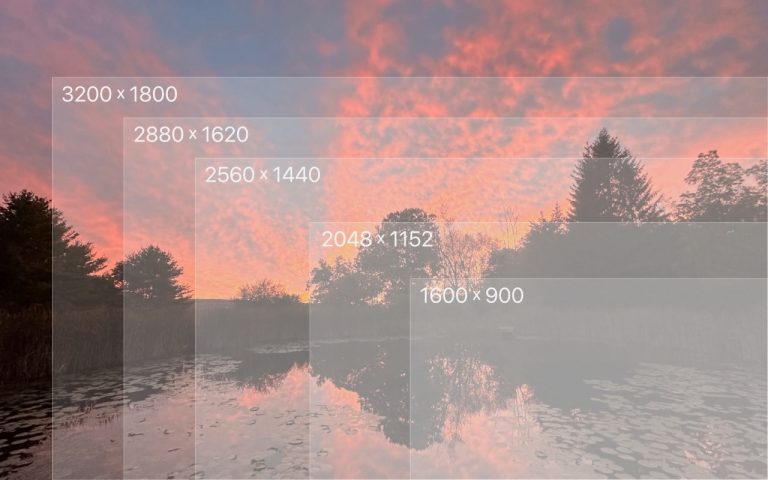
    You can change the resolution of your Mac’s screen—how many pixels appear—to make text and graphics larger and easier to see or smaller to fit more content onscreen. In System Settings > Displays, Apple shows thumbnails for five likely possibilities. Hover the pointer over a thumbnail to see its numeric resolution underneath. If you prefer…

    Read More Tips for Working with Mac Display ResolutionsContinue

  • Apple Announces New MacBook Air Lineup with M3 Chip

    Apple Announces New MacBook Air Lineup with M3 Chip

    In November 2023, Apple unveiled the M3 chip in new versions of the 24-inch iMac and MacBook Pro, causing speculation about when other Mac models would be updated to match. If you’ve been longing for a MacBook Air with an M3 chip, your wait is over. (And we expect Apple to update the Mac mini…

    Read More Apple Announces New MacBook Air Lineup with M3 ChipContinue

Page navigation

Previous PagePrevious 1 … 10 11 12 13 14 … 44 Next PageNext

Monge IT Consulting Logo Color

© 2026 Monge IT Consulting, Inc.

Facebook Linkedin YouTube

Proud supporting partner of Matthias Community!

  • About
  • Plans
  • Quote
  • Tips
  • News
  • Testimonials
  • Contact
Search