Skip to content
Monge IT Consulting, Inc.
  • About
  • Plans
  • Quote
  • Tips
  • News
  • Testimonials
  • Contact
Monge IT Consulting, Inc.
  • Speed Up Mac and iOS Typing with Text Expansion

    Speed Up Mac and iOS Typing with Text Expansion

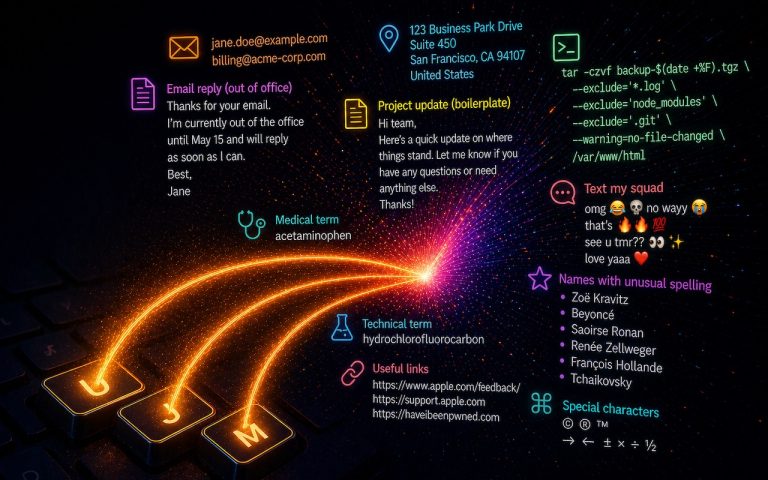
    Silicon Valley thinks everyone wants to delegate writing to AI, which is why Apple Intelligence constantly suggests replies for you in Messages and Mail. But there’s an excellent way to supercharge your typing speed without sounding like a chirpy chatbot or resorting to teenage texting abbreviations: text expansion. Text expansion speeds up typing words or…


    Read More Speed Up Mac and iOS Typing with Text ExpansionContinue

  • 10 Reasons to Upgrade to Apple’s Version 27 Operating Systems This Fall

    What’s coming to Apple’s Version 27 Operating Systems This Fall

    Apple’s Worldwide Developer Conference keynote—the final public appearance for outgoing CEO Tim Cook—was different this year. Although it was still a tour of the changes we’ll see in version 27 of Apple’s operating systems, the company broke it into three parts. The first focused on interface refinements, performance improvements, and feature tweaks that smooth rough…

    Read More What’s coming to Apple’s Version 27 Operating Systems This FallContinue

  • Monge IT What’s Liquid Glass, and What to Do If You Don’t Like It

    What’s Liquid Glass, and What to Do If You Don’t Like It

    If your Apple devices suddenly look like they belong in a science fiction movie, you are not imagining it. Apple has introduced a brand-new visual language called Liquid Glass, a shimmering and semi-transparent interface that now appears across iOS 26, iPadOS 26, macOS 26 Tahoe, and even watchOS, visionOS, and tvOS. For simplicity, we can…

    Read More What’s Liquid Glass, and What to Do If You Don’t Like ItContinue

  • Recovering from a Failed Update with a Nearby iPhone or iPad

    Restore Nearby iPhone: Recover a Stuck Update on iPhone 16 or A17 Pro iPad mini

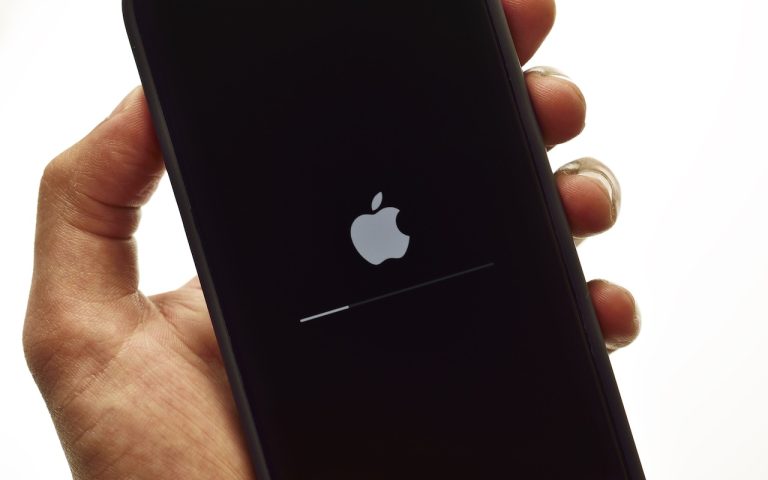
    If your iPhone 16 or A17 Pro iPad mini gets stuck during an update, Apple’s new recovery feature lets you use a nearby iPhone or iPad to get back up and running. We hope you never need this new recovery option that Apple has added to the iPhone 16 and current iPad mini (with an…

    Read More Restore Nearby iPhone: Recover a Stuck Update on iPhone 16 or A17 Pro iPad miniContinue

  • Make Apple Devices Easier for Family to Access with Secondary Biometrics

    Make Apple Devices Easier for Family to Access with Secondary Biometrics

    It’s only safe to share your iPhone, iPad, and Mac passcodes or passwords with people you trust completely—typically those you’d also trust with your healthcare or bank accounts. If those individuals use your devices regularly, you can simplify their access by adding their fingerprint to Touch ID or their face to Face ID. Touch ID…

    Read More Make Apple Devices Easier for Family to Access with Secondary BiometricsContinue

  • Did You Know You Can Rename Many Bluetooth Devices?

    Renaming Bluetooth Devices: How To

    All Bluetooth devices come with a name, but those names are often difficult to decipher—like ATUMTEK, DX01Gu, or MY-CAR—making it hard to tell which is which in your iPhone’s Bluetooth settings. What you may not realize is that you can rename many Bluetooth devices to tidy up your list and make connections easier. Go to…

    Read More Renaming Bluetooth Devices: How ToContinue

  • Craig Federighi with iPadOS changes

    At WWDC 2025, Apple Unveils Liquid Glass and Previews New OS Features

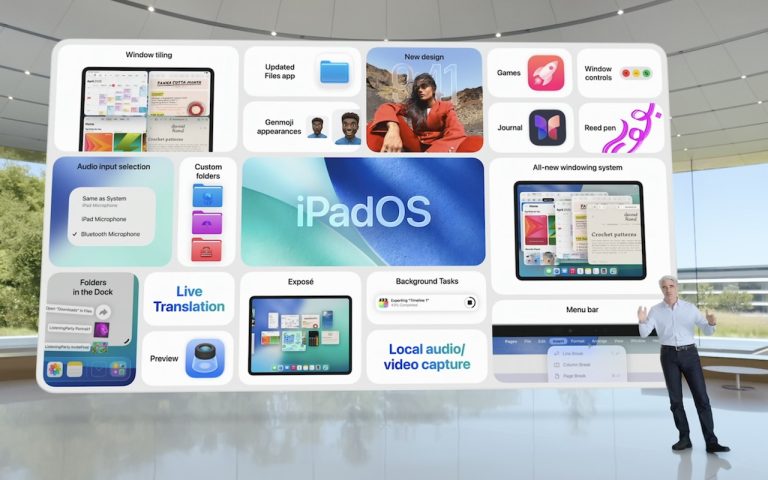
    Apple’s Worldwide Developer Conference keynote was a lightning-fast 92-minute tour of Apple’s vision for how we’ll use its products in the next year. Apple wove two themes through the presentation: the new Liquid Glass design language will provide a consistent look and feel across all its platforms, and Apple Intelligence-powered features will continue to appear throughout the…

    Read More At WWDC 2025, Apple Unveils Liquid Glass and Previews New OS FeaturesContinue

  • Make Sure to Check Settings on Multiple Devices

    Why 1Password Acts Differently on Your Devices

    If you’ve ever noticed 1Password repeatedly asking for your password on one device but not another—say, your iPad versus your iPhone—you’re not alone. While 1Password syncs your data across devices, its security settings are managed separately on each one. This design makes sense; different devices can be used in different environments, each with its own…

    Read More Why 1Password Acts Differently on Your DevicesContinue

  • man holding phone with announcement

    Siri’s Smarter Upgrade? Still in the Works

    Siri’s Smarter Upgrade? Still in the Works Apple previously teased a more intelligent version of Siri – one that could understand on-screen context, respond more personally, and interact seamlessly with apps. While that update was expected as part of the Apple Intelligence rollout, Apple has now confirmed it’s not yet ready. The new Siri is…

    Read More Siri’s Smarter Upgrade? Still in the WorksContinue

  • Backpack on chair

    With iOS 18.2 and Later, You Can Share the Location of Lost Items in Find My

    In iOS 18.2, Apple enhanced the Find My app, enabling you to create a temporary Web page that shares the location of a lost AirTag or other Find My-tracked item. You don’t need to know the person’s email address or share any other information…

    Read More With iOS 18.2 and Later, You Can Share the Location of Lost Items in Find MyContinue

Page navigation

1 2 3 Next PageNext

Monge IT Consulting Logo Color

© 2026 Monge IT Consulting, Inc.

Facebook Linkedin YouTube

Proud supporting partner of Matthias Community!

  • About
  • Plans
  • Quote
  • Tips
  • News
  • Testimonials
  • Contact
Search