Skip to content
Monge IT Consulting, Inc.
  • About
  • Plans
  • Quote
  • Tips
  • News
  • Testimonials
  • Contact
Monge IT Consulting, Inc.
  • Monge IT Choosing the Right Charger for Your MacBook Why Wattage Matters More Than You Think

    Choosing the Right Charger for Your MacBook: Why Wattage Matters More Than You Think

    If you lose or break the power adapter that came with your MacBook Air or MacBook Pro, it can be tempting to grab the first USB-C charger you find on Amazon or borrow whatever is nearby. But not all chargers are created equal, and using one that does not meet the wattage requirements of your…

    Read More Choosing the Right Charger for Your MacBook: Why Wattage Matters More Than You ThinkContinue

  • Monge IT What’s Liquid Glass, and What to Do If You Don’t Like It

    What’s Liquid Glass, and What to Do If You Don’t Like It

    If your Apple devices suddenly look like they belong in a science fiction movie, you are not imagining it. Apple has introduced a brand-new visual language called Liquid Glass, a shimmering and semi-transparent interface that now appears across iOS 26, iPadOS 26, macOS 26 Tahoe, and even watchOS, visionOS, and tvOS. For simplicity, we can…

    Read More What’s Liquid Glass, and What to Do If You Don’t Like ItContinue

  • Monge IT Top 7 Interface Tweaks in macOS 26 Tahoe and How to Turn Them Off

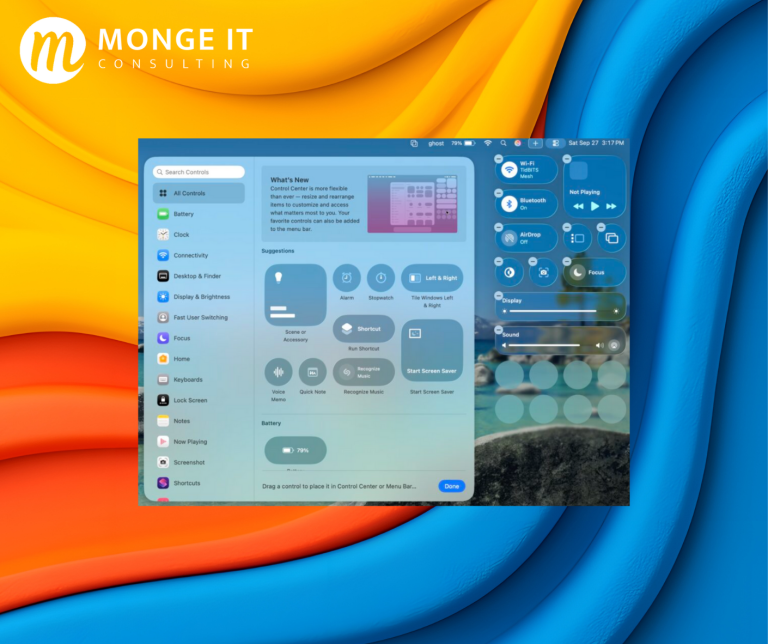
    Top 7 Interface Tweaks in macOS 26 Tahoe (and How to Turn Them Off)

    If your Mac suddenly feels like it got a fresh coat of polish, you’re not imagining it. The new macOS 26 Tahoe brings Apple’s biggest visual refresh in years, with rounded corners, transparent menus, and more ways to personalize your desktop. Even if you’re waiting to upgrade, here’s a look at the design changes that…

    Read More Top 7 Interface Tweaks in macOS 26 Tahoe (and How to Turn Them Off)Continue

  • Make Apple Devices Easier for Family to Access with Secondary Biometrics

    Make Apple Devices Easier for Family to Access with Secondary Biometrics

    It’s only safe to share your iPhone, iPad, and Mac passcodes or passwords with people you trust completely—typically those you’d also trust with your healthcare or bank accounts. If those individuals use your devices regularly, you can simplify their access by adding their fingerprint to Touch ID or their face to Face ID. Touch ID…

    Read More Make Apple Devices Easier for Family to Access with Secondary BiometricsContinue

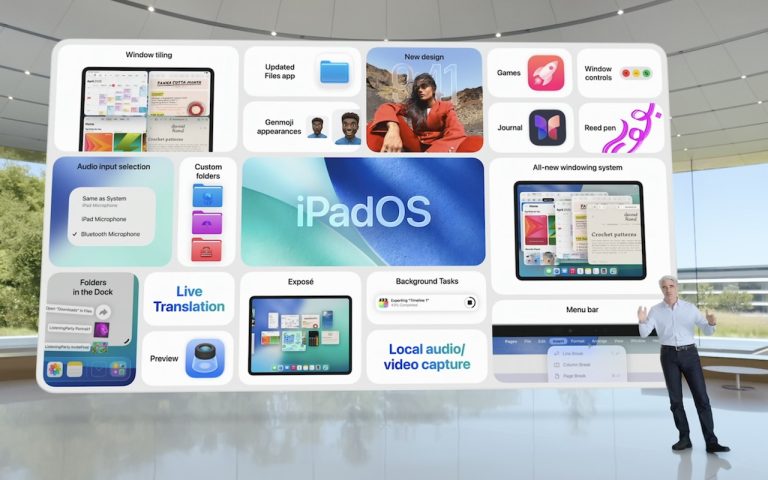
  • Craig Federighi with iPadOS changes

    At WWDC 2025, Apple Unveils Liquid Glass and Previews New OS Features

    Apple’s Worldwide Developer Conference keynote was a lightning-fast 92-minute tour of Apple’s vision for how we’ll use its products in the next year. Apple wove two themes through the presentation: the new Liquid Glass design language will provide a consistent look and feel across all its platforms, and Apple Intelligence-powered features will continue to appear throughout the…

    Read More At WWDC 2025, Apple Unveils Liquid Glass and Previews New OS FeaturesContinue

  • Use AirPlay to Mirror or Extend Your Mac’s Display

    How to Mirror or Extend Your Mac Display with AirPlay

    Apple’s AirPlay is more versatile than many users realize. Beyond streaming audio and video from an iPhone, iPad, or Mac to an Apple TV, it also allows you to use that TV as an external display for your Mac by mirroring your screen or extending your desktop. You can even use one Mac as a…

    Read More How to Mirror or Extend Your Mac Display with AirPlayContinue

  • Try Blip for Fast Transfers of Any Size Between Platforms

    Blip: A Secure File Transfer Tool for Any Device

    Apple users often rely on AirDrop, Messages, email, cloud storage, or public file-sharing links when transferring files. While these methods are acceptable for everyday use, they can fall short when working with large files, confidential data, or sharing across platforms. That’s where Blip comes in. Blip is a peer-to-peer file transfer tool that works seamlessly…

    Read More Blip: A Secure File Transfer Tool for Any DeviceContinue

  • Create Links to Selected Text in Long Web Pages

    Create Links to Selected Text in Long Web Pages

    How to Use Copy Link to Highlight for Faster Webpage Navigation Ever wanted to share a specific section of a long webpage without making someone scroll? The “Copy Link to Highlight” feature lets you do just that. Instead of linking to an entire page, this tool creates a URL that jumps directly to highlighted text,…

    Read More Create Links to Selected Text in Long Web PagesContinue

  • Never Save Your Work in These Locations

    The Worst Places to Store Important Data

    Technology has changed, but one thing remains the same—people still store important files in the worst places. In the early days of personal computing, a college student famously ruined a floppy disk by sticking it to his fridge with a magnet. While no one uses floppy disks anymore, modern versions of this mistake still happen….

    Read More The Worst Places to Store Important DataContinue

  • New M4 MacBook Air Features Faster Performance and Improved Video Calls

    New M4 MacBook Air Features Faster Performance and Improved Video Calls

    Apple has unveiled an update to the MacBook Air, which it touts as the world’s most popular laptop. While the MacBook Air has long been a compelling option for many consumers, the new 13-inch and 15-inch M4 MacBook Air models improve performance, boast a new 12-megapixel Center Stage camera, and fully support two external displays,…

    Read More New M4 MacBook Air Features Faster Performance and Improved Video CallsContinue

Page navigation

1 2 Next PageNext

Monge IT Consulting Logo Color

© 2025 Monge IT Consulting, Inc.

Facebook Linkedin YouTube

Proud supporting partner of Matthias Community!

  • About
  • Plans
  • Quote
  • Tips
  • News
  • Testimonials
  • Contact
Search